1. Introduction
Since its inception, Wakelet had been designed primarily for the individual. Users signed up to a personal account and created content independently, with collaboration layered on later at the content (collection) level.
Over time, we saw strong organic adoption within education. Teachers were increasingly using Wakelet alongside colleagues and students, creating new collaboration and governance needs that the product wasn't designed to support. This created a clear opportunity to support collaborative workflows, and to introduce a paid, group-based offering.
I partnered with a Senior Designer to co-lead the end-to-end design of the workspace model. While we collaborated closely on the overall strategy, my core focus and contributions were leading the definition of the information architecture, designing the collaborative user patterns, and executing the validation strategy. Together, we successfully evolved Wakelet from an individual-first product into one capable of supporting secure, scalable collaboration.
This resulted in a revamped, scalable data hierarchy that clearly separated people from content, enabling collaboration-first workflows for educators and unlocking a new, seat-based sales opportunity through shared workspaces.
Over time, we saw strong organic adoption within education. Teachers were increasingly using Wakelet alongside colleagues and students, creating new collaboration and governance needs that the product wasn't designed to support. This created a clear opportunity to support collaborative workflows, and to introduce a paid, group-based offering.
I partnered with a Senior Designer to co-lead the end-to-end design of the workspace model. While we collaborated closely on the overall strategy, my core focus and contributions were leading the definition of the information architecture, designing the collaborative user patterns, and executing the validation strategy. Together, we successfully evolved Wakelet from an individual-first product into one capable of supporting secure, scalable collaboration.
This resulted in a revamped, scalable data hierarchy that clearly separated people from content, enabling collaboration-first workflows for educators and unlocking a new, seat-based sales opportunity through shared workspaces.
2. The problem
Wakelet’s original account model tied all content directly to an individual user. While this worked well for personal use, it created significant challenges when applied to classroom and group settings.
Teachers needed to:
- Collaborate with other educators
- Create shared, secure classroom environments
- Safely manage and review student-created content
However, our existing structure made this difficult. Content ownership sat with individual accounts, making it hard for teachers to maintain visibility and control of multiple student’s work.
This raised a fundamental problem:
How do we enable safe, reliable collaboration at scale, when the product’s underlying data ownership model is built around individuals, not groups?
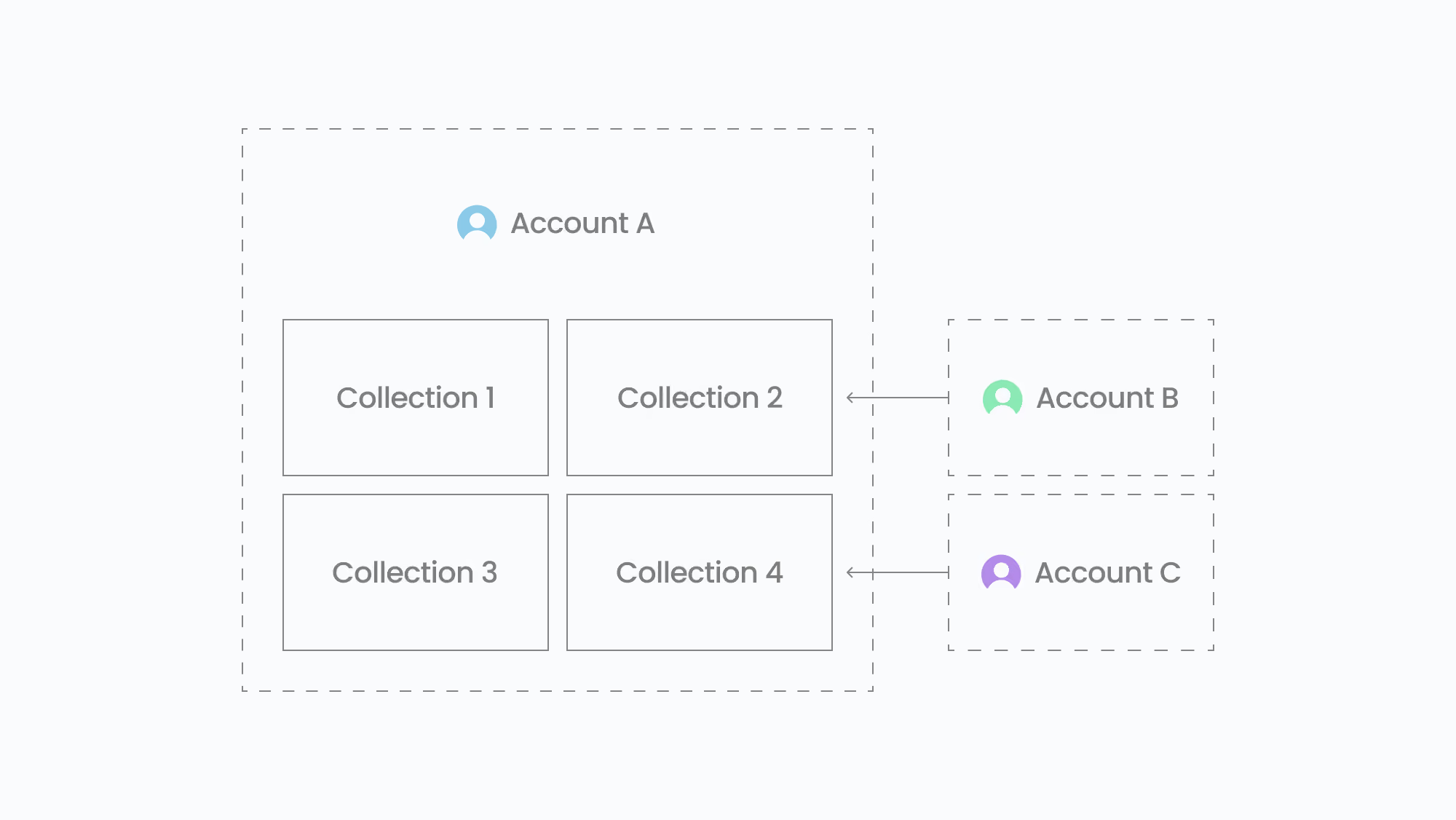
Diagram showing the existing system of collection-level collaboration on wakelet
3. Context & constraints
- Wakelet had a growing education user base with increasing collaboration needs
- Compliance and safeguarding requirements meant teachers needed full oversight of student content
- Existing solutions (e.g. sub-accounts, shared collections) introduced complexity without solving the root issue
- Any new model needed to work across both free and paid contexts
- The solution had to scale beyond education to support other team-based use cases
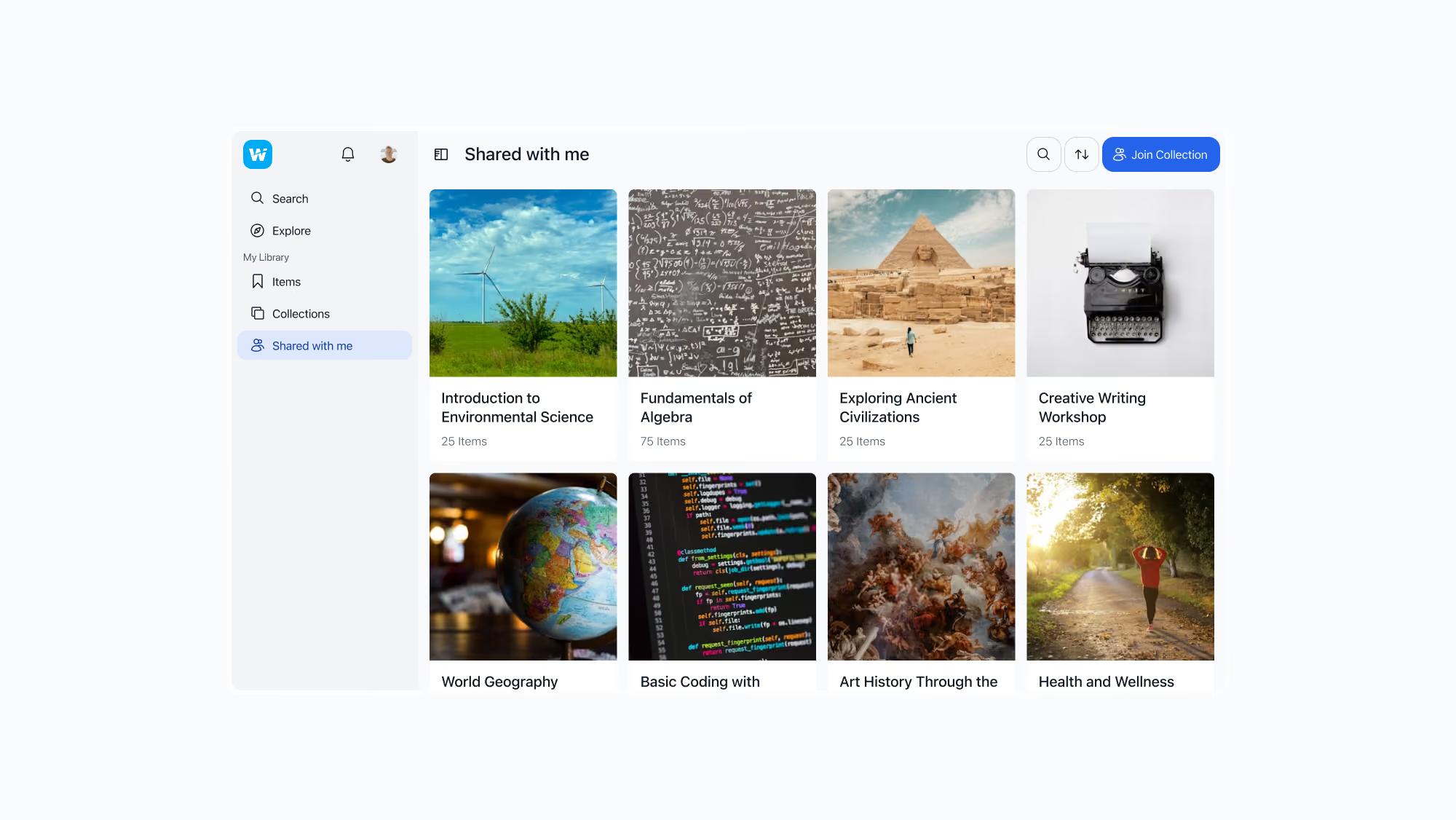
The original "Shared with me" area, requiring shared content to live outside a user's own content structure
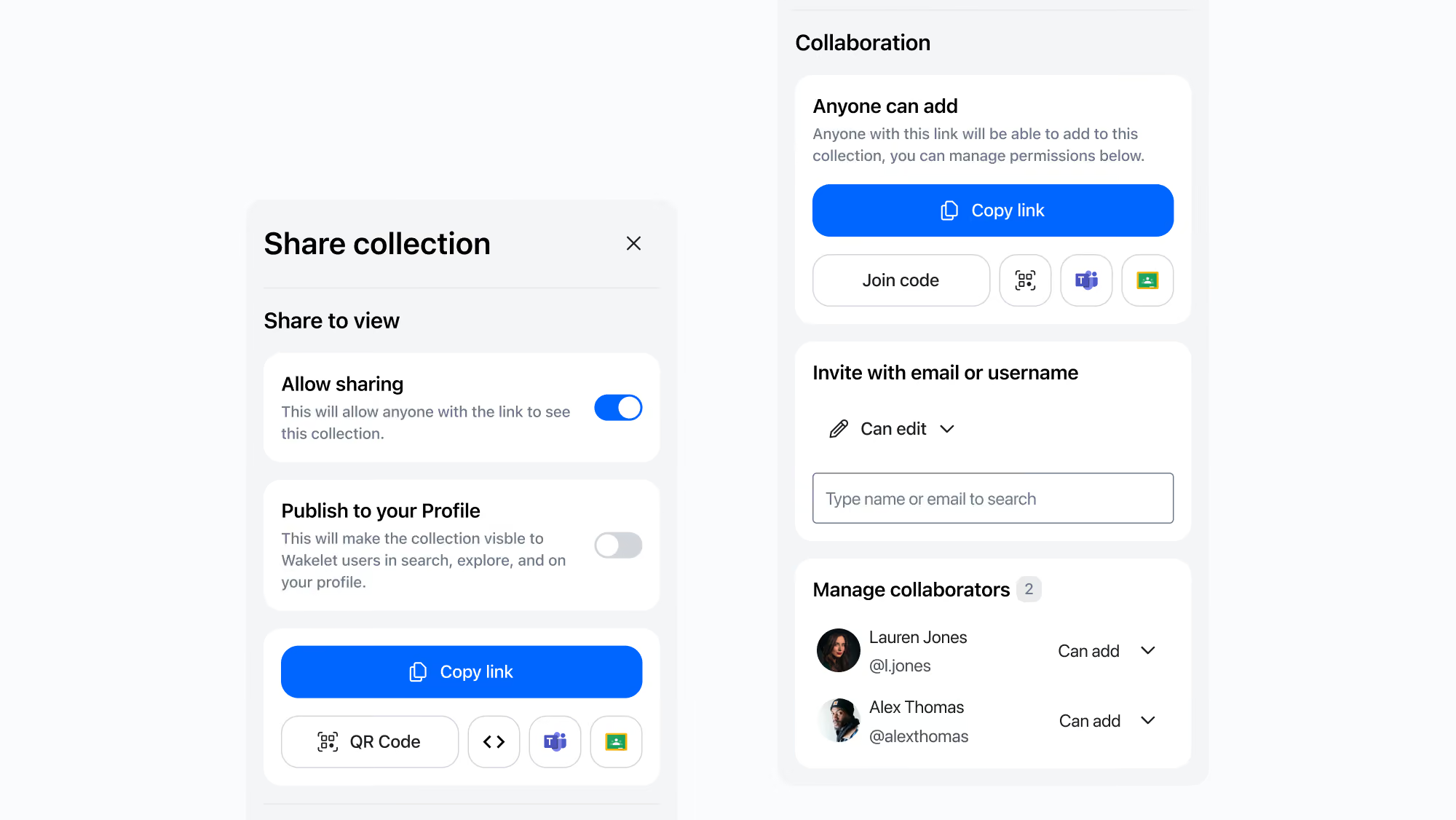
The existing sharing experience, designed primarily for individual collaboration rather than organisational teamwork
4. Discovery & insight
To understand how collaboration should work on Wakelet, we gathered insights from educator interviews and previous customer conversations to learn how schools and districts were organised, how teachers collaborated, and where existing solutions created friction. These conversations highlighted several recurring challenges, including overly complex collaboration flows, limited administrative oversight, and a reliance on email invitations despite many younger students not having email addresses.
Alongside this qualitative research, I benchmarked collaborative models across productivity tools and education platforms, including Google Classroom and other learning management systems with the objective of understanding how they structured ownership, permissions and organisational administration. We also explored the structure of US classrooms, schools and districts so the solution reflected the environments educators were already familiar with. This gave us a clear design principle for the project: any solution should mirror familiar structures and terminology, allowing us to meet educators where they were rather than asking them to learn an entirely new way of working.
Reviewing these findings revealed that the underlying challenge wasn't end-user collaboration itself. Instead, Wakelet had been designed around individual accounts, whereas schools required a shared organisational structure with clear ownership, governance and scalable permissions.
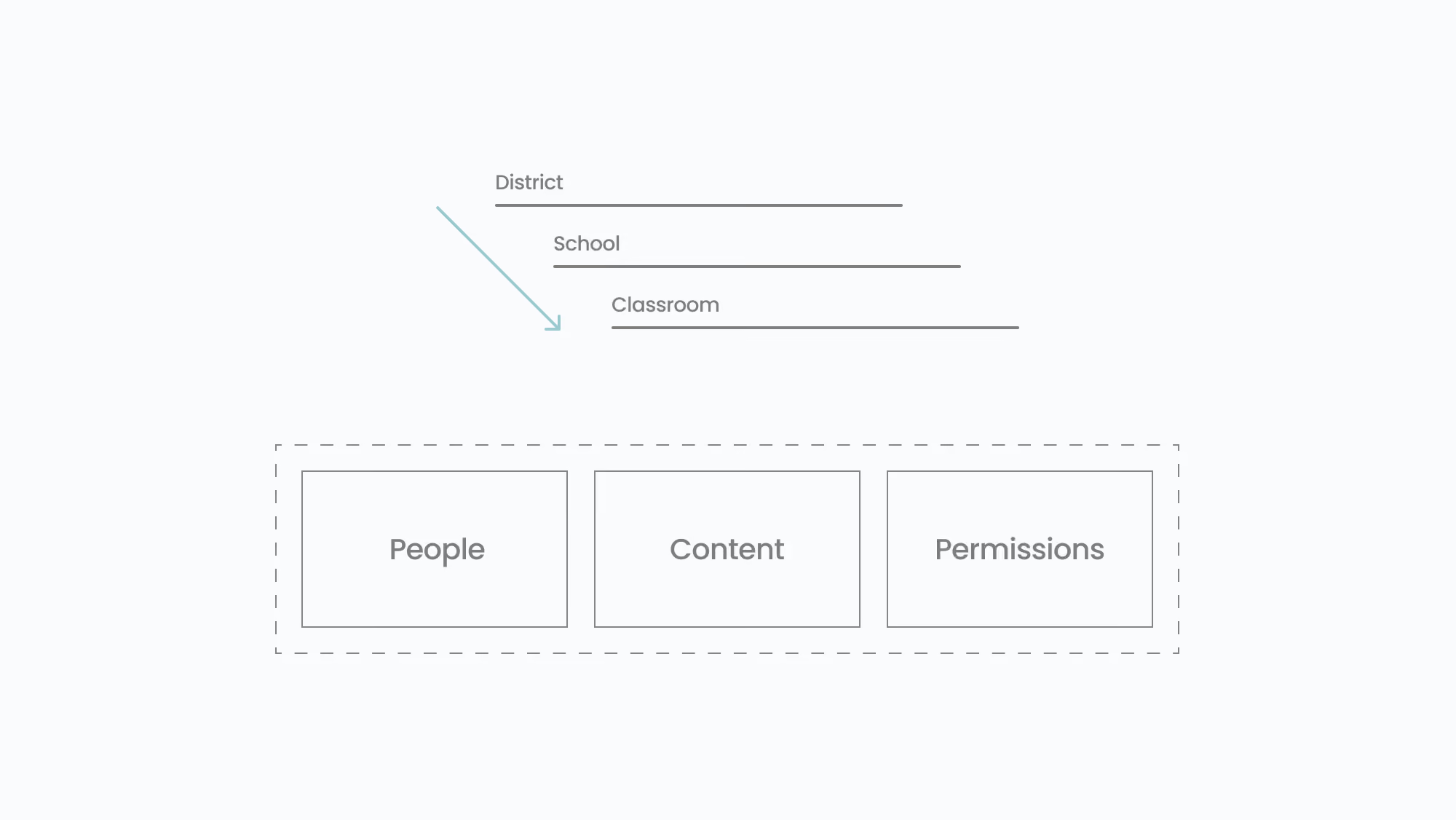
A concept exploring the core structures needed to manage people, content, and permissions across educational organisations
5. Defining the approach
Before committing to a new direction, we explored several ways of supporting collaboration within Wakelet's existing account model, looking for the simplest way to meet educators' needs without fundamentally changing the underlying architecture.
We explored a range of structural approaches, including student sub-accounts, shared ownership of collections, and additional permission layers layered on top of individually owned content. While each addressed individual pain points, they all attempted to retrofit collaboration onto a product fundamentally designed around personal ownership. They increased complexity without resolving the underlying limitation.
Through these explorations, it became clear that improvements to the existing collaborative experience would not be enough. To support the way schools needed to organise people, content and permissions, we first needed to redesign ownership. Rather than content belonging to individual accounts, we introduced a new organisational concept: Workspaces.
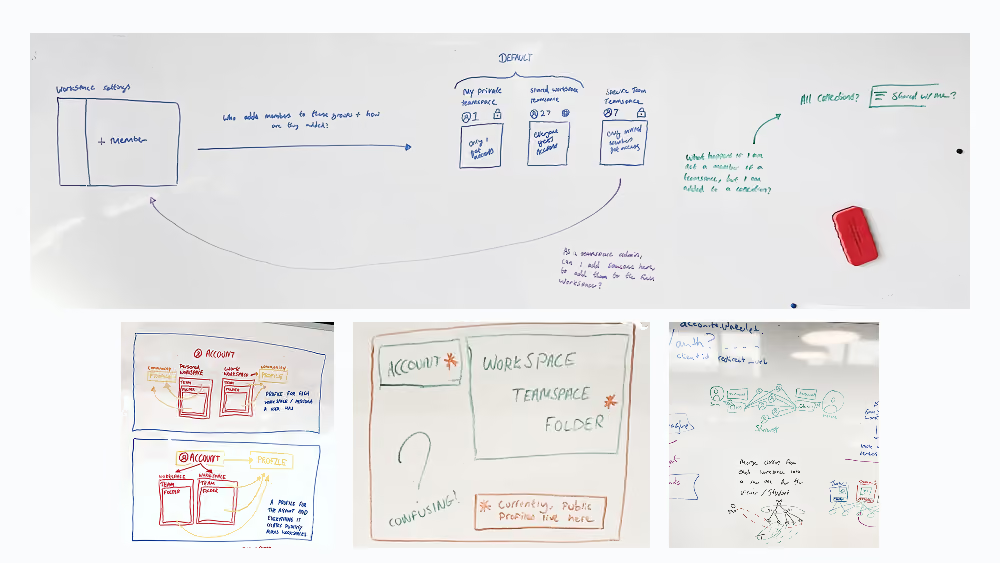
Early concept exploration focused on redefining ownership, permissions and the relationship between people, content and workspaces. These sketches helped establish the underlying product model before interface design began.
A workspace:
- Houses both people and content
- Provides a shared space for collaboration
- Acts as the primary boundary for ownership, permissions, and governance
By moving ownership from the individual to the Workspace, we created a scalable model that could support classrooms, schools and districts whilst aligning with the organisational structures educators already understood.
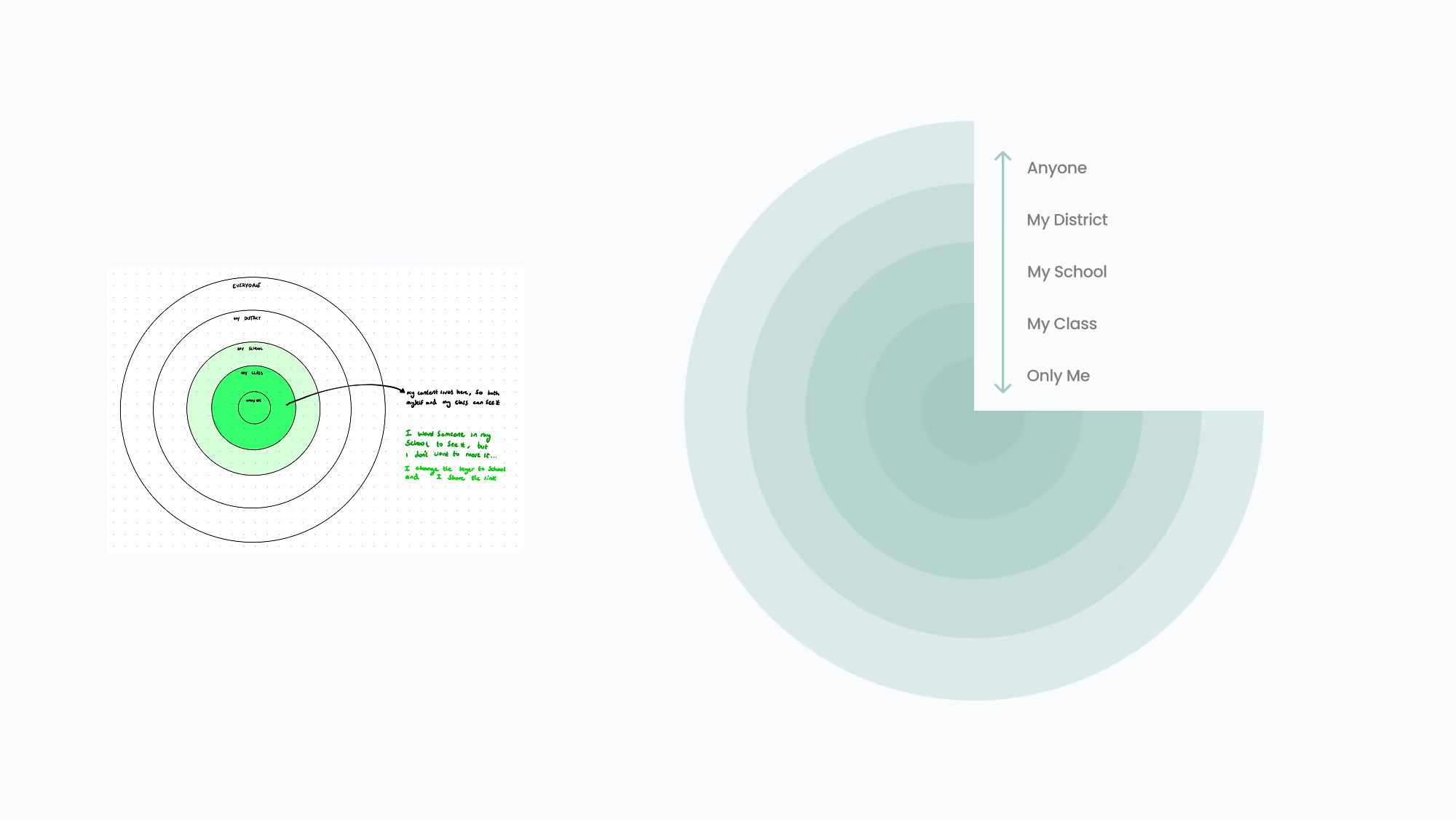
A concept exploring how content visibility can scale from private to district-wide based on the organisational hierarchy.
6. Design & Iteration
With the workspace model established, my focus shifted to translating a new organisational structure into an experience that felt intuitive for both workspace administrators and the educators and students working within it.
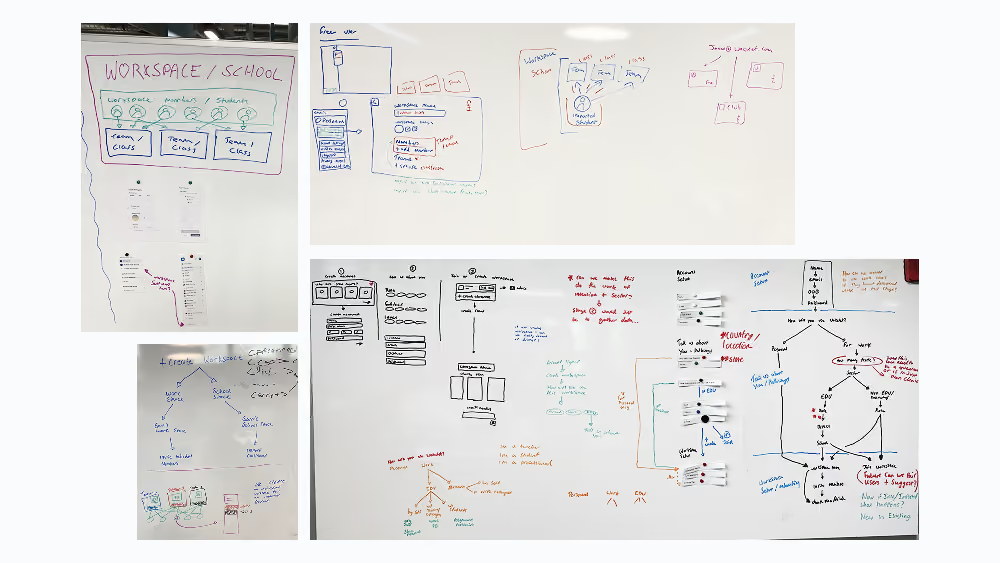
Early wireframes and systems diagrams exploring the information architecture, administrative workflows and collaboration patterns that would bring the workspace model to life.
I began by exploring low-fidelity sketches and wireframes to define the information architecture, collaborative workflows and navigation patterns that would support the new workspace model. These early concepts allowed us to evaluate different approaches including workspace switching, content ownership, permissions and administrative workflows before committing to a detailed direction. Regular design critiques with senior designers, product managers and engineers helped refine the patterns, challenge assumptions and ensure the proposed architecture remained technically achievable.
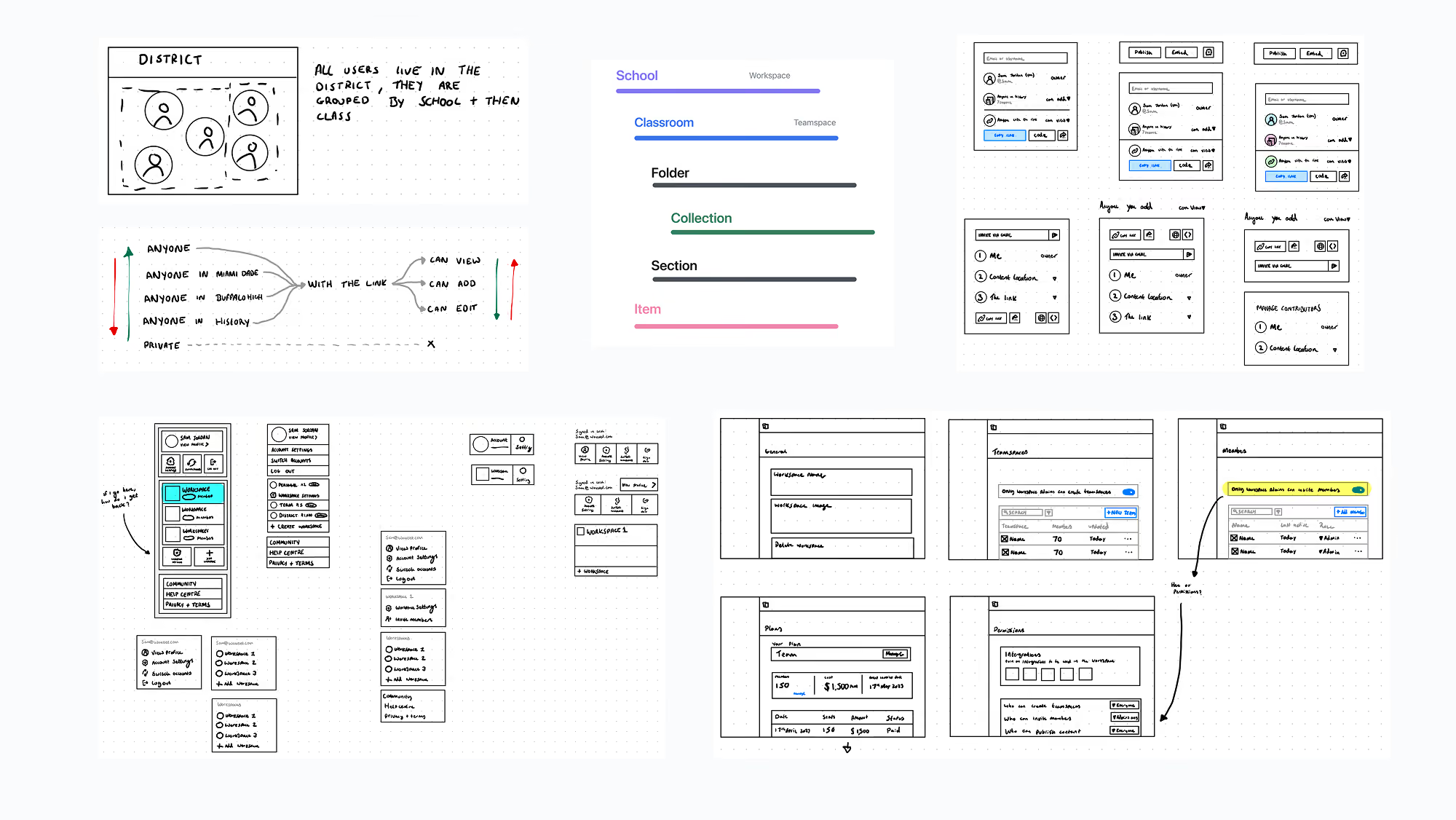
A selection of early wireframes exploring workspace architecture, permissions, and administrative workflows
As the direction matured, I expanded these concepts into interactive prototypes covering both the administrative experience and the day-to-day collaboration journey. This included designing the core workspace management experience, from workspace settings, members and groups through to role and permission models, alongside a redesigned sharing experience that supported collaboration across individuals, groups and entire organisations.
To validate the experience, we combined unmoderated usability testing with new users and moderated sessions with existing Wakelet users. Unmoderated testing helped us understand how first-time users naturally interpreted the new workspace model, whilst moderated sessions focused on whether existing users could transition from Wakelet's individual-first experience without losing their mental model of the product.

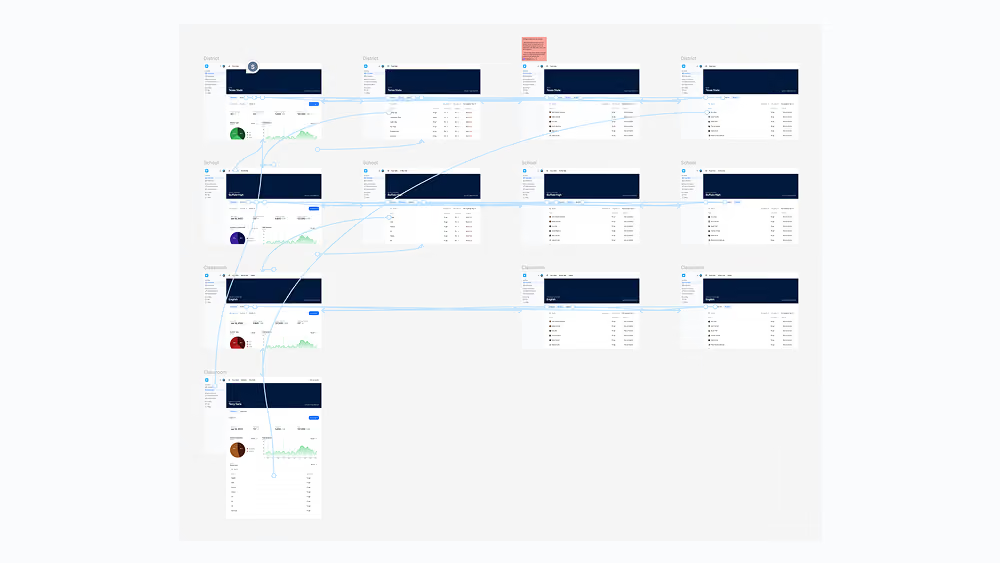
Interactive prototypes exploring the end-to-end administrative and collaboration experience, used to validate navigation, permissions and the new workspace model.
Testing reinforced many of our core assumptions whilst also highlighting opportunities to simplify the experience. For example, our early working title, Teamspace, didn't resonate with educators, who naturally organised students and colleagues into Groups. Renaming the concept not only aligned with terminology already familiar within education, but also avoided confusion with an existing collaboration feature called Spaces. Similarly, we replaced abstract role names such as Contributor and Admin with action-based permissions, Can view, Can add and Can edit, making it immediately clear what each permission allowed.
Alongside usability improvements, we continued refining the administrative experience for organisations at scale. Rather than requiring workspace administrators to configure permissions for every individual group, we introduced reusable Grade Bands, allowing collaboration, sharing and integration settings to be consistently applied using terminology already familiar within education.
Throughout implementation, we also identified a need for workspace-level analytics so administrators could understand adoption and engagement across their organisation. Whilst a dedicated analytics dashboard was outside the scope of the initial release, we still wanted to provide meaningful oversight. As an interim solution, we introduced scheduled PDF reports summarising workspace activity every three months, delivering immediate value whilst allowing a live analytics dashboard to be implemented following launch and user feedback.
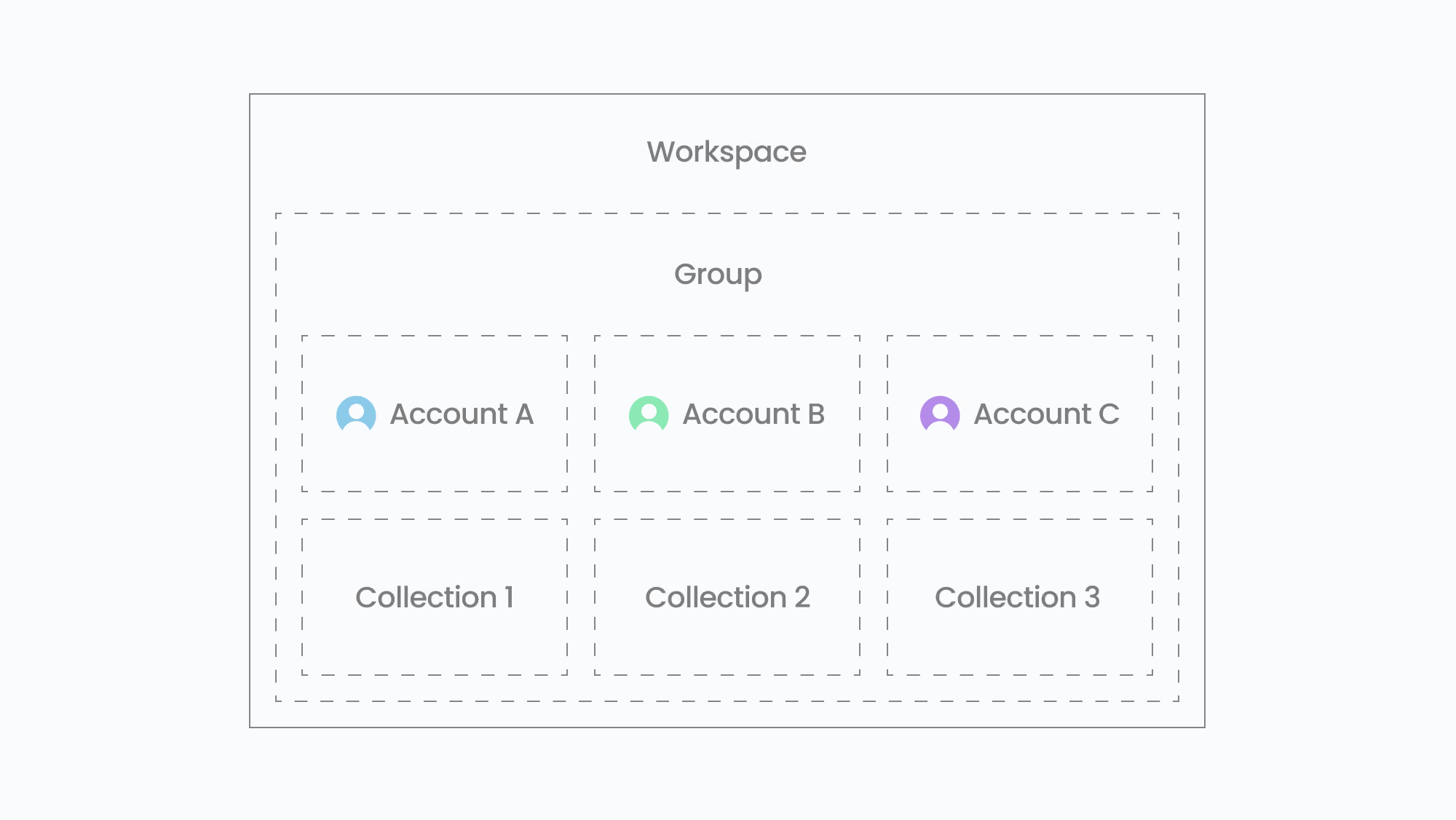
The final workspace model established clear ownership boundaries for people, content and permissions, creating a scalable foundation for collaboration across organisations.
7. Outcome & Impact
The introduction of workspaces:
- Enabled 213 education contracts worth $586k in revenue, supporting more than 128,000 purchased seats across schools and districts
- Enabled secure, compliant collaboration across classrooms and schools
- Created the foundation for Wakelet's seat-based education offering
- Introduced a scalable permissions and governance model for organisations
- Established a platform architecture that could support future team-based use cases beyond education
By restructuring the product at a foundational level, we were able to support collaboration in a way that aligned with both user needs and business goals.
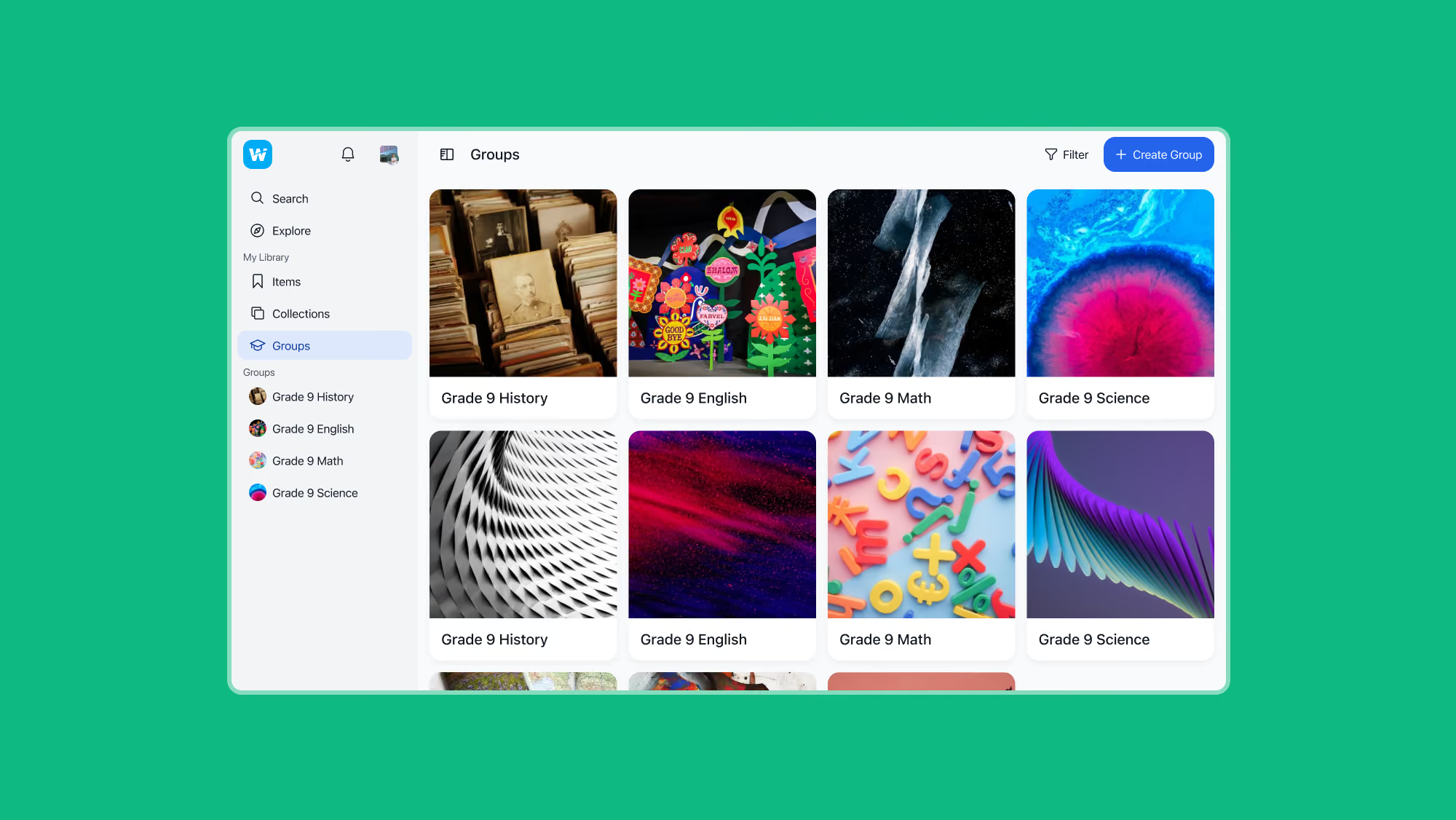
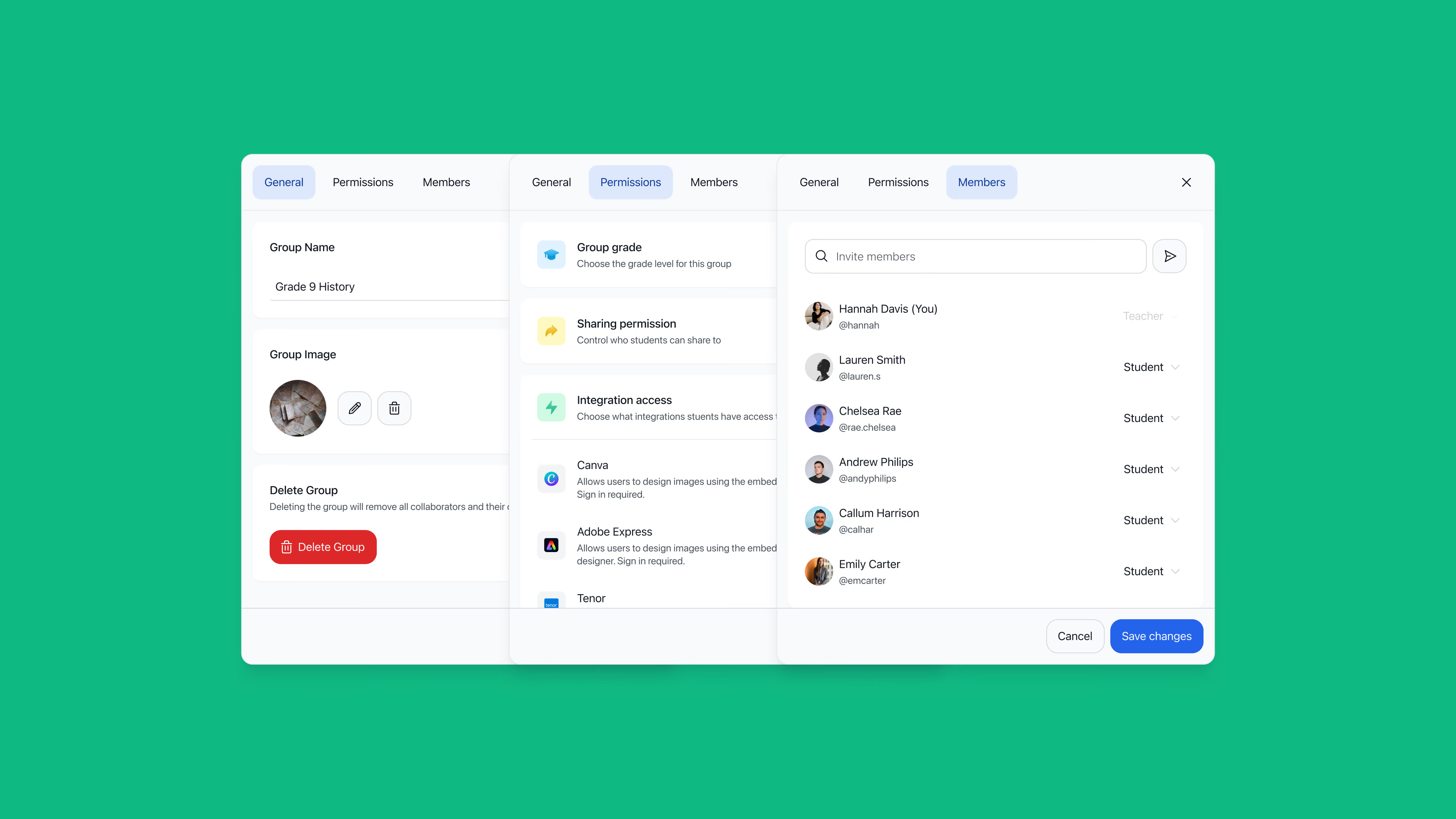
The groups area, enabling teachers to organise classrooms and manage collaborative learning spaces within a workspace.
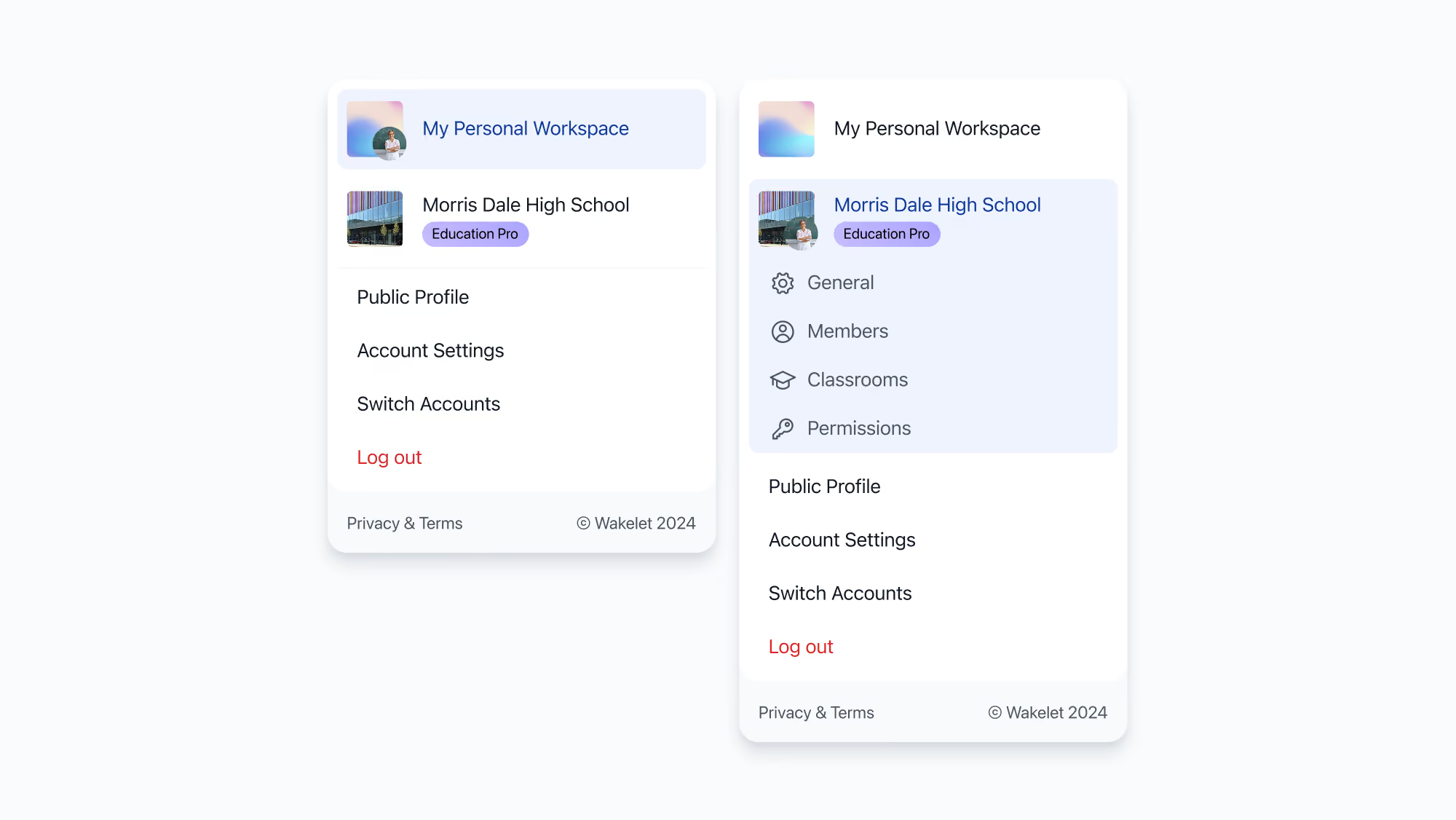
The redesigned profile menu, allowing users to switch between personal and organisational workspaces
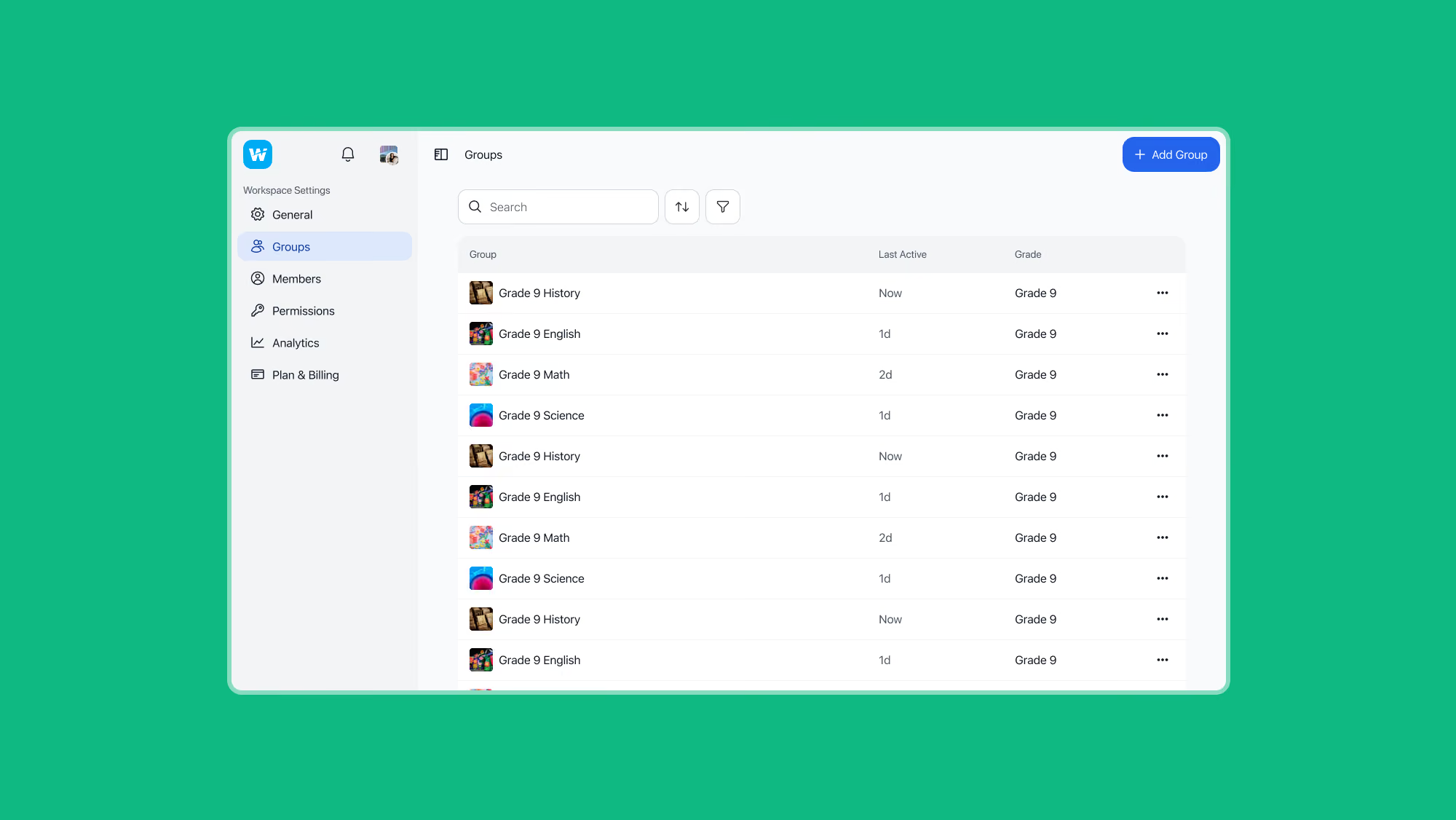
The workspace settings area, giving workspace administrators the tools to manage groups, members, permissions, and billing
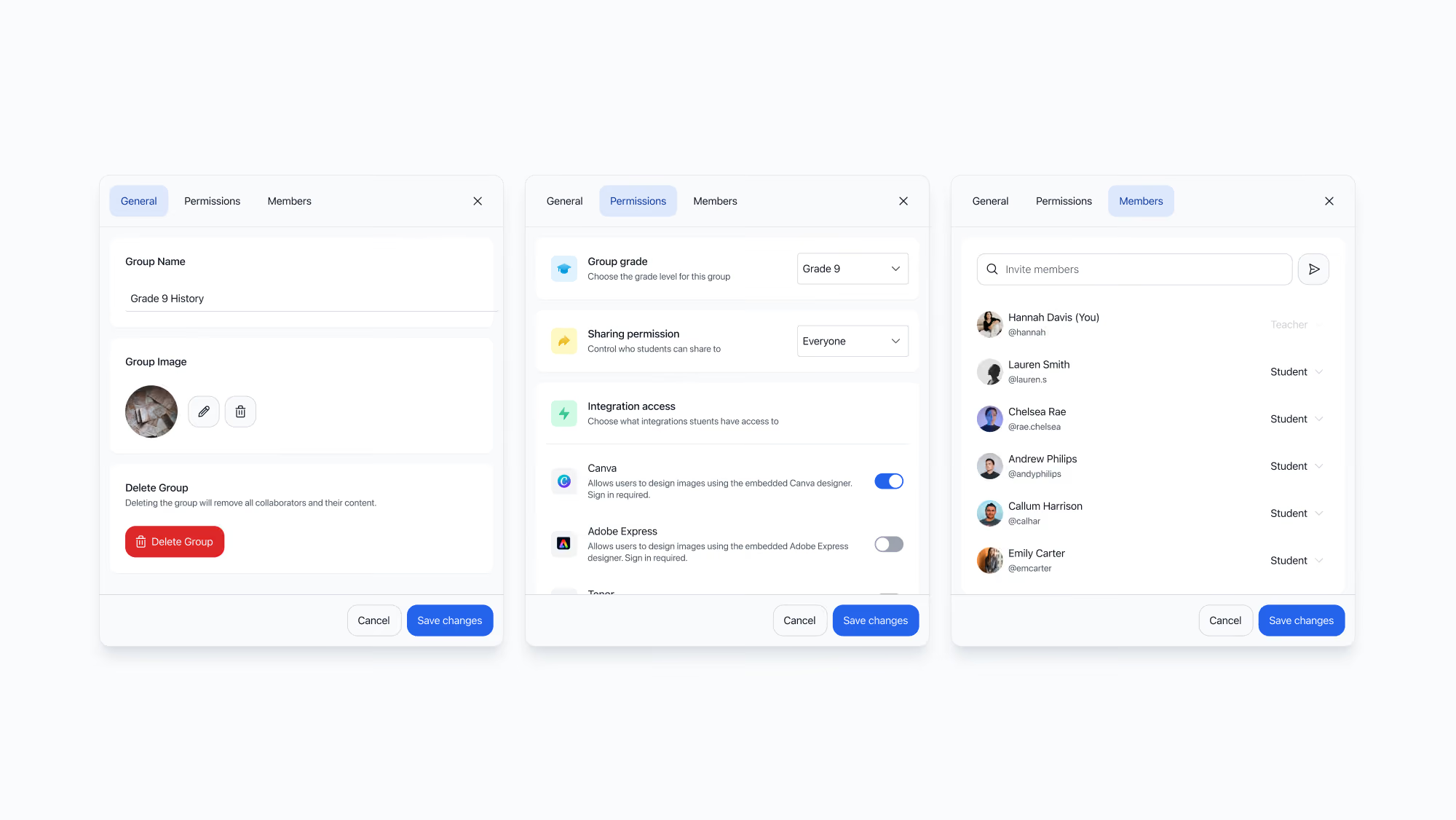
A redesigned group settings dialog, centralising group management, permissions, integrations, and membership into a single administrative experience
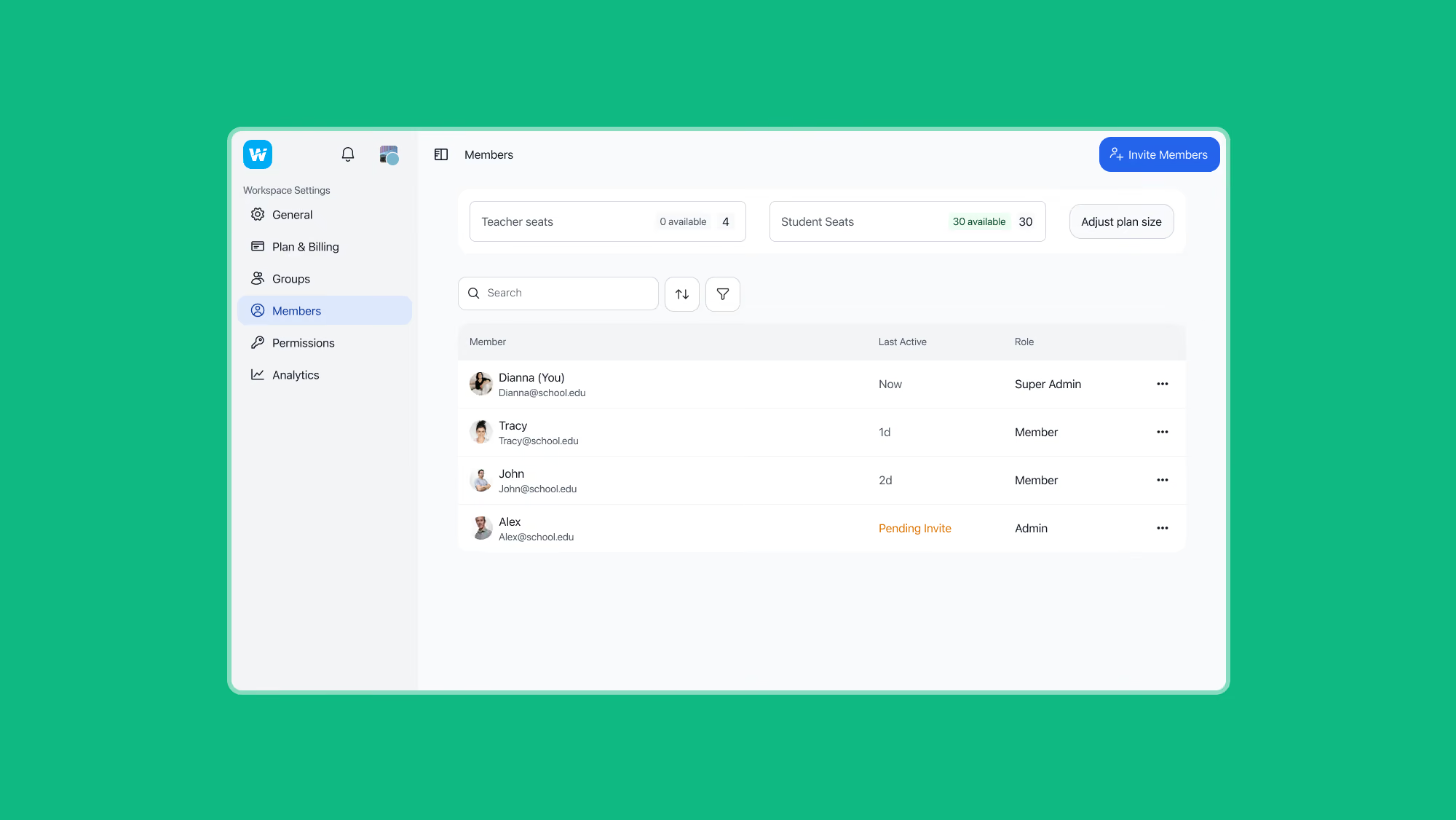
The members area, enabling administrators to manage user roles, invitations, and teacher and student seat allocation
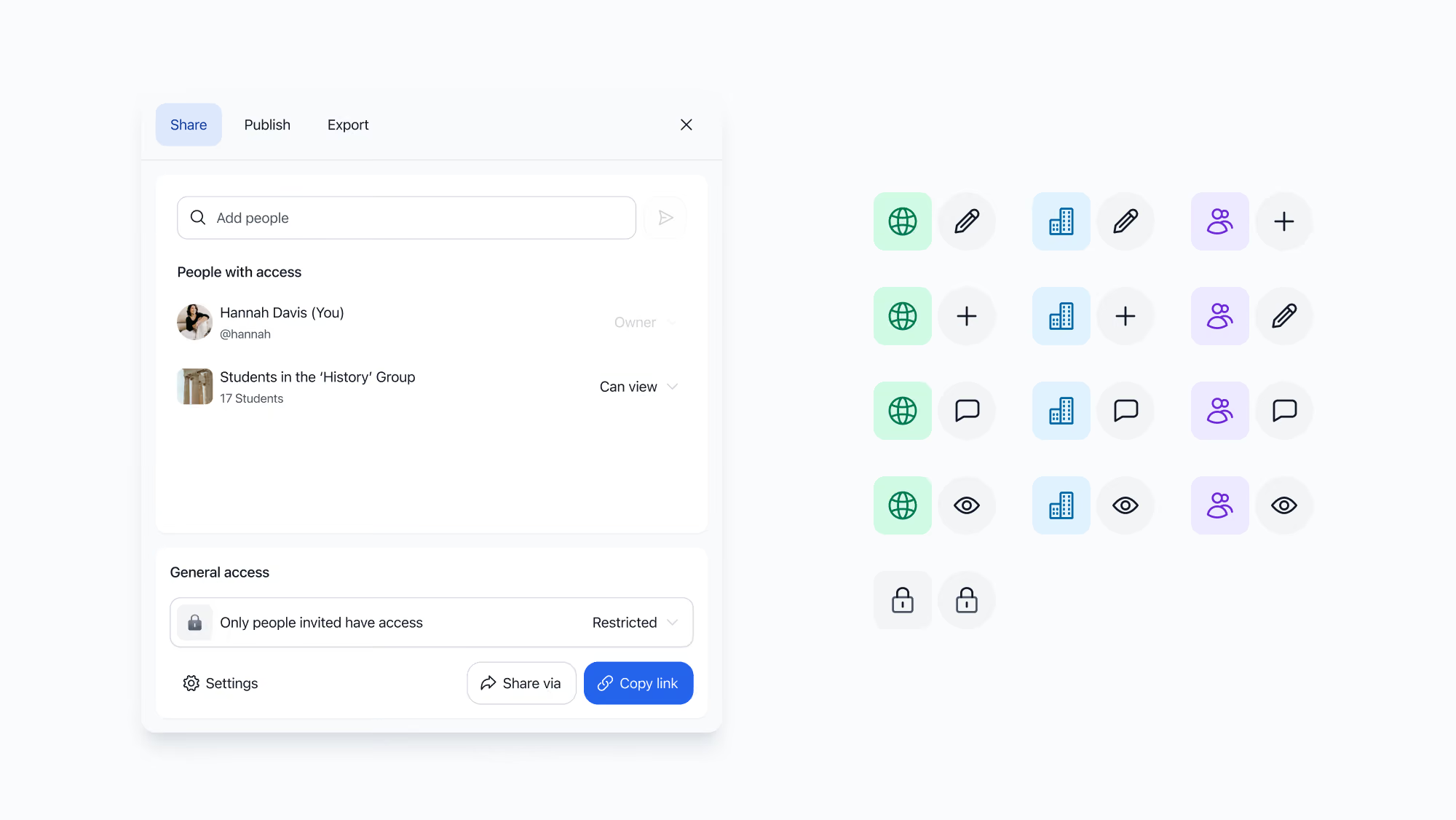
The redesigned sharing experience, enabling collections to be shared with individuals, groups, or entire organisations
8. Reflection
This project reinforced the importance of recognising when a problem is architectural rather than interface driven. One of the biggest lessons was learning when to stop investing in incremental improvements to an existing model and instead make the more difficult decision to redesign the underlying system. Although that approach carries greater short-term complexity, it often creates a far stronger foundation for future growth.